Task Management
Task lists that actually keep up with you.
Create structured task lists with everything you need to stay organized — and nothing that gets in the way.
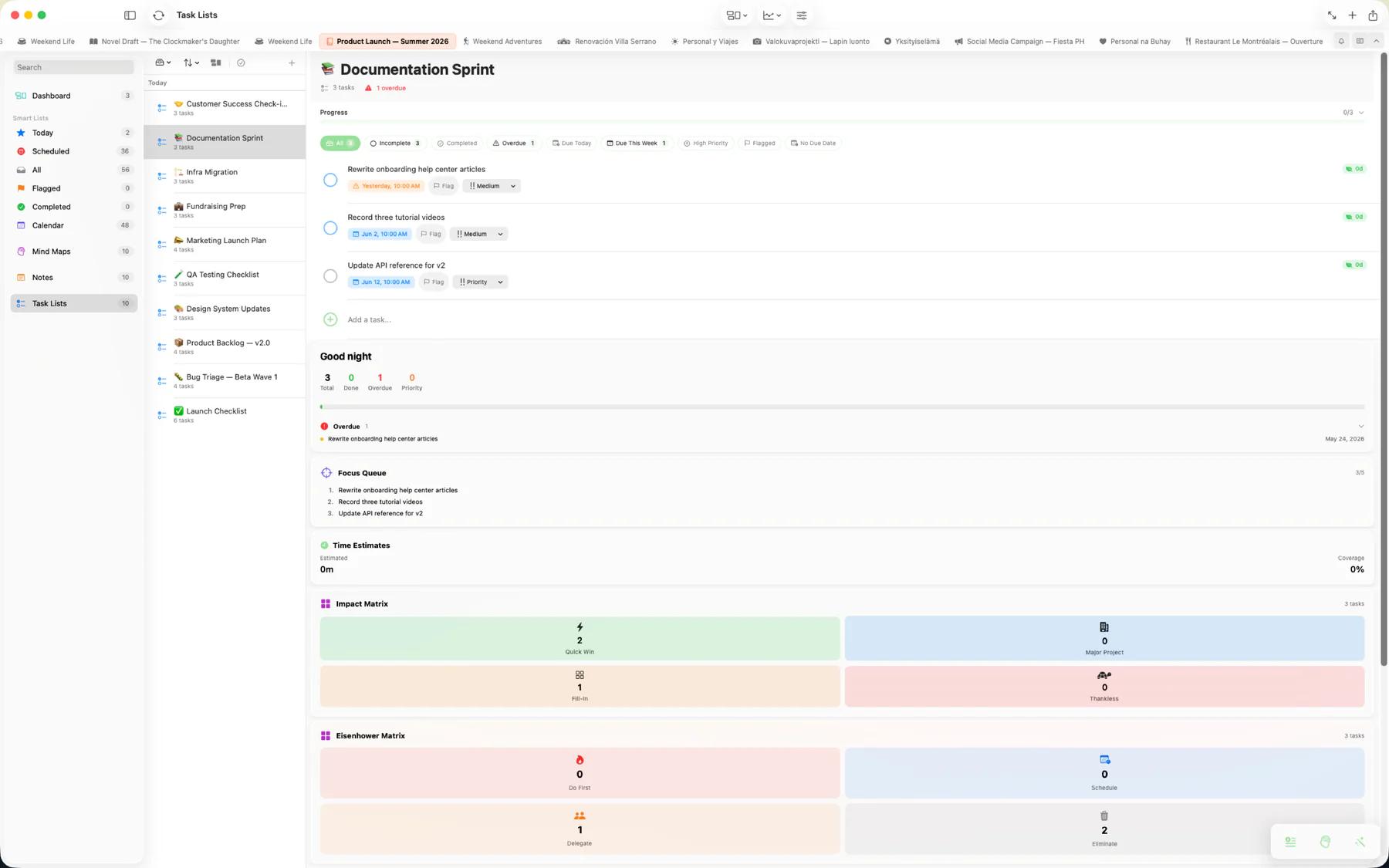
Every task supports
Each task comes with a full set of tools to keep you on track.
- Priority levels: low, medium, high, urgent
- Due dates with flexible reminders
- Subtasks nested to any depth
- Time tracking with a built-in start/stop timer
- Tags for categorization
- Rich notes with the full text editor
- Media attachments
- Linked calendar events

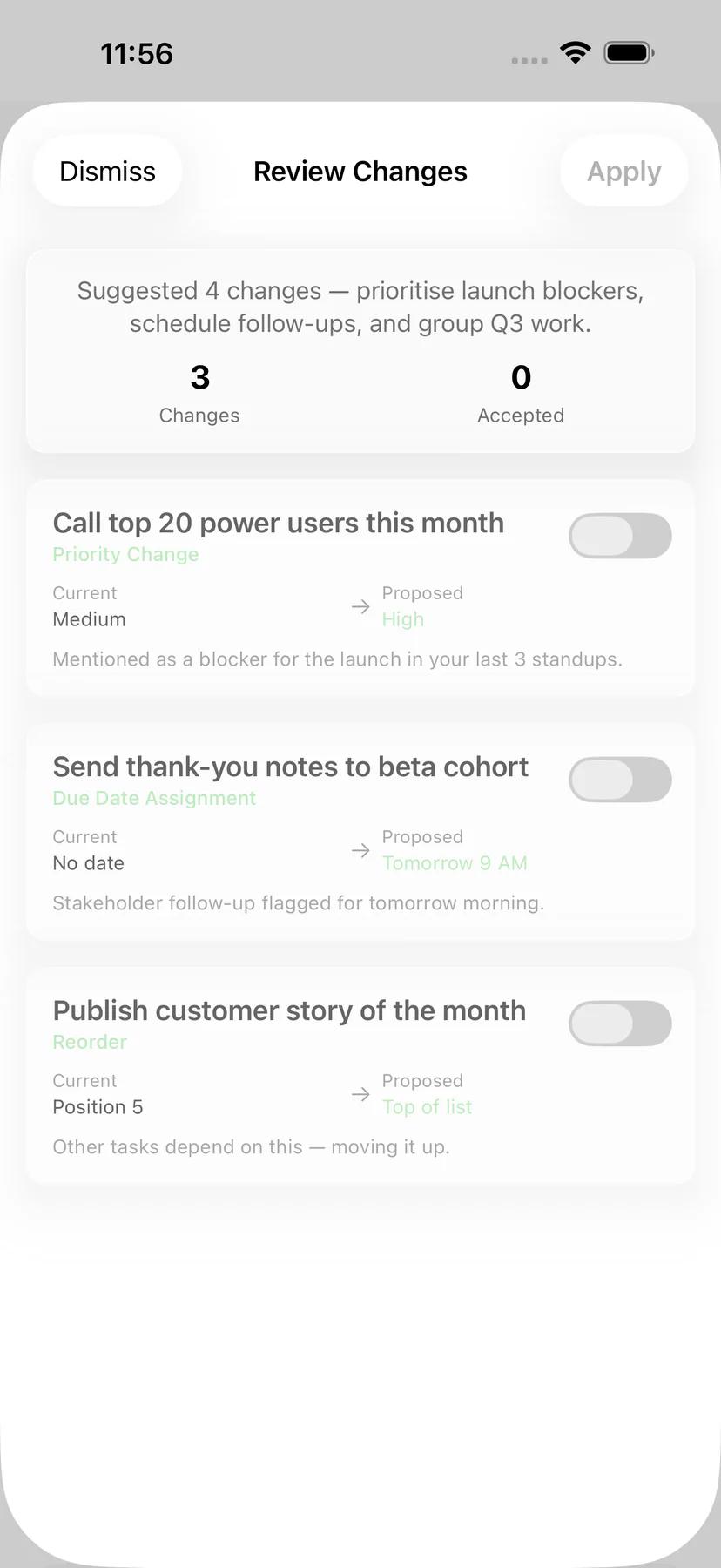
AI-assisted planning
Apple Intelligence runs on-device, so AI can shape your task lists without your data leaving the device.
- Generate — describe a goal and AI drafts a structured task list with subtasks and priorities
- Brainstorm — refine your list together in a back-and-forth chat with the AI
- Convert — turn a task list into a note or mind map without retyping

Natural language dates
Type "next Friday" or "tomorrow at 3pm" and Mintofu suggests the date — tap to accept.
Reminders
Set a reminder for any task with flexible timing — at the time, minutes or hours before, or a custom time.
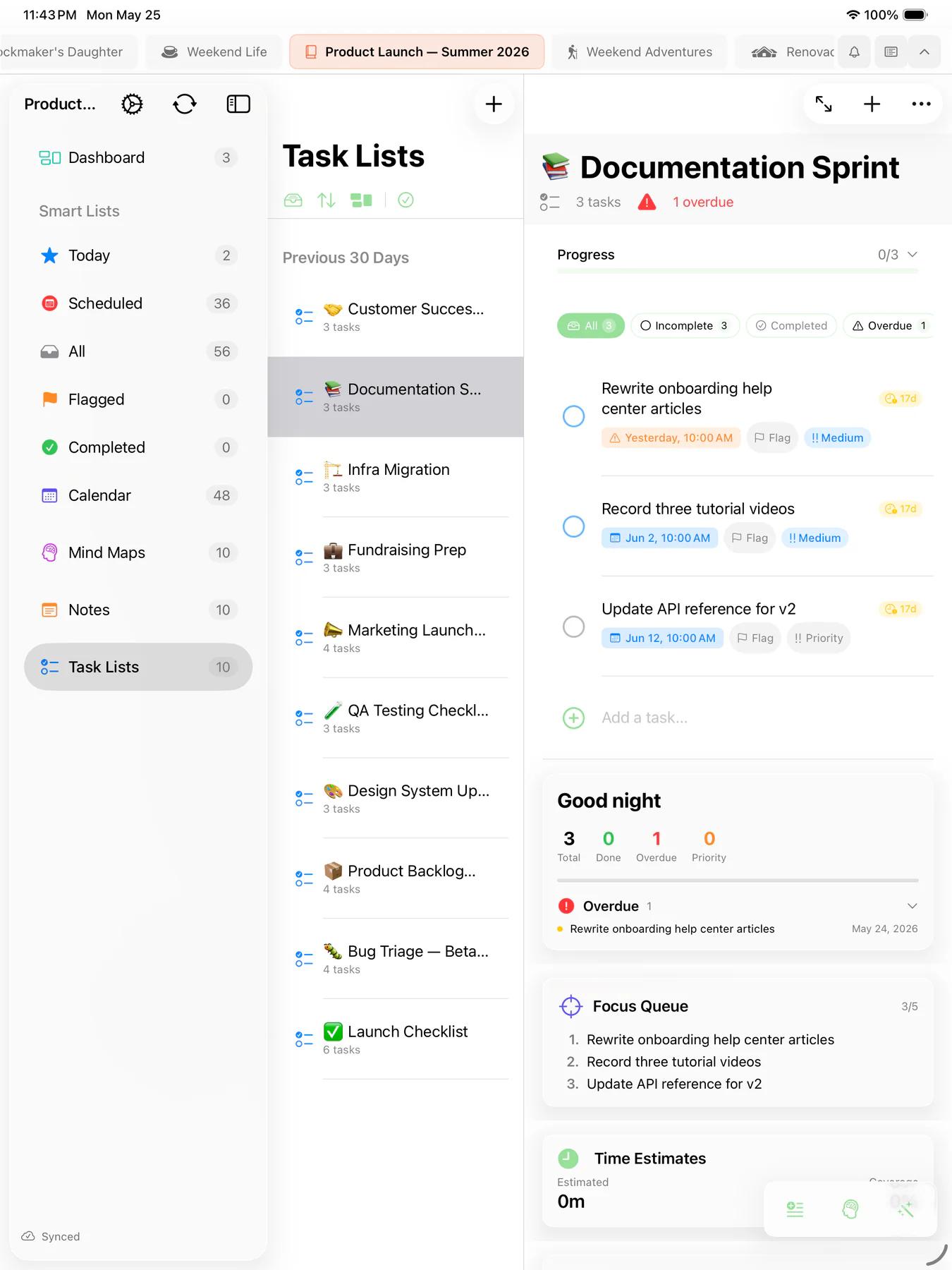
Task insights
Built-in cards give you a bird's-eye view of your work.
- Eisenhower Matrix — Prioritize tasks by urgency and importance in an interactive 2x2 grid
- Focus Queue — A curated list of your top-priority tasks to keep you on track
- Weekly Planner — See how tasks are distributed across your week
- Burndown Chart — Track remaining work and completion velocity
- Daily Digest — Start your day with a summary of what's due, overdue, and completed
- Achievement Badges — Earn trophies and points as you hit milestones
Smart Lists
Create dynamic lists with custom filter rules. Smart Lists automatically gather tasks matching your criteria — like "High priority due this week" or "Flagged tasks with subtasks." View activity feeds and summary statistics for each smart list.
Focus timer
A built-in Focus timer keeps you on task with structured work and break sessions, right alongside your task list.
Batch editing
Select multiple tasks at once to update priorities, due dates, tags, or completion status in bulk.
Apple Reminders sync
Connect your Apple Reminders and see them right inside Mintofu alongside your task lists. Updates flow from Reminders into Mintofu automatically — your Reminders stay the source of truth.
Siri & Shortcuts
Add tasks by voice with Siri, or build Shortcuts to create, complete, and organize tasks hands-free as part of larger automations.